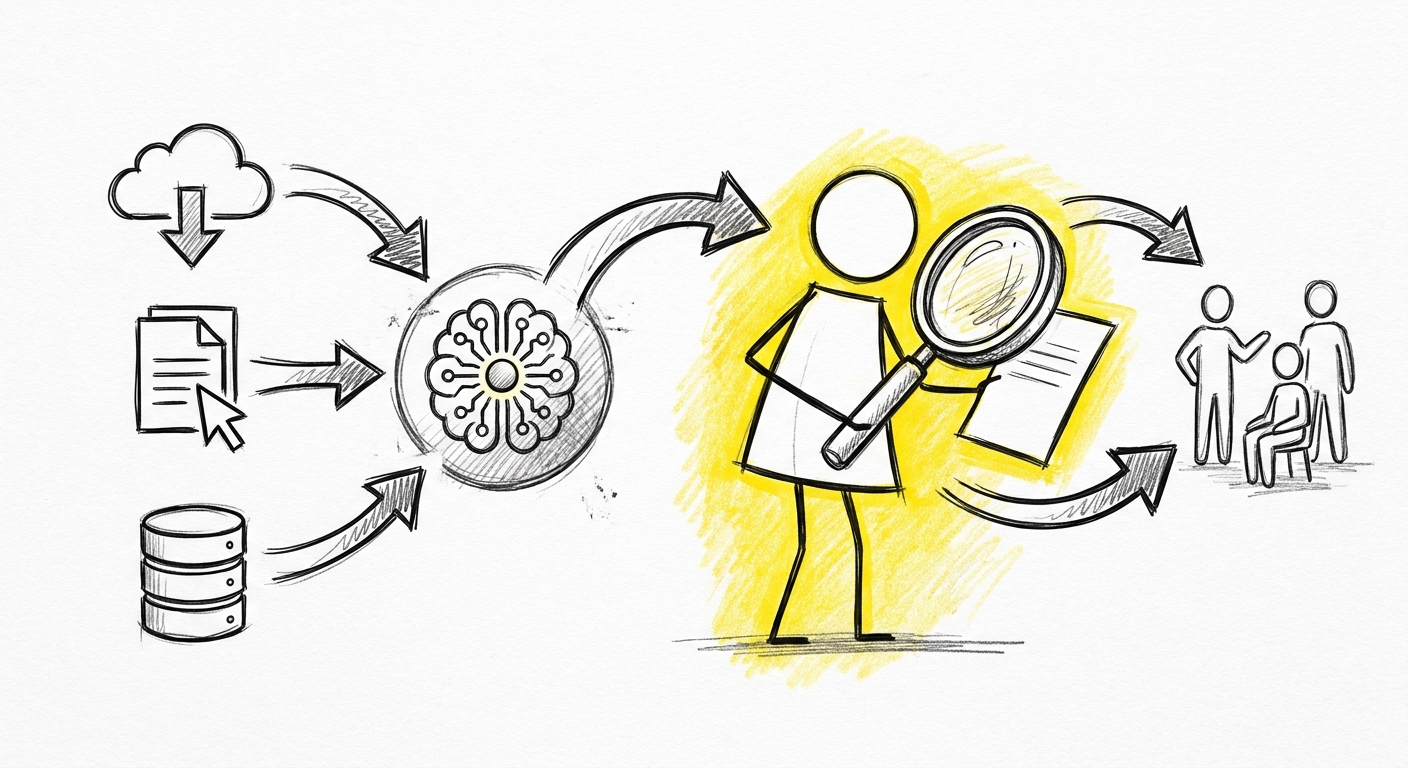
Claude i ditt rapporteringsflöde
En projektledare på ett medelstort företag kopplar Claude till sin projektdata. Inom en timme har de en dashboard som visar story points, velocity-trend, intjänat värde och blockeringar — formaterad och redo för morgondagens styrgruppsmöte.
Det här är verkligt. Det fungerar. Det är en av de tydligaste produktivitetsvinsterna som finns tillgängliga för en PM idag.
Frågan är inte om det är möjligt. Det är vem som äger noggrannheten i den dashboarden innan den når de som fattar beslut baserat på den.
Vad Claude producerar väl i rapportering
Statusaggregering. Claude är snabb och pålitlig på att samla data från flera källor till en sammanhängande sammanfattning. Om du matar in fem teammedlemmars uppdateringar producerar det en strukturerad teamstatus utan att missa poster. Ger du sprintdata beräknar och formaterar det velocity utan aritmetikfel.
Dashboardstruktur. En välpromptad Claude-förfrågan producerar en logiskt organiserad dashboard med rätt sektioner för din publik — sammanfattning längst upp, detalj nedanför, undantag flaggade. Den anpassar struktur efter publik när du specificerar vem som läser.
Trendnarrativ. Given flera perioder av data skriver Claude ett tydligt narrativ om trenden — "velocity har sjunkit i tre veckor, med den huvudsakliga drivkraften ej lösta beroenden i infrastrukturarbetet." Det tar en PM tio minuter att skriva och Claude producerar det på sekunder.
Blockeringssammanfattningar. Given en lista blockerade poster med beskrivningar producerar Claude en ren sammanfattning av vad som är blockerat, varför, och vad som skulle lösa blockeringen — formaterad för en styrgrupp som inte vill läsa ticketdetaljer.
Vad Claude inte vet
Claude känner inte till ditt projekt. Det känner till vad du ger det.
Om datan du tillhandahåller är ofullständig är rapporten ofullständig — utan indikation att något saknas. Om en teammedlem glömde uppdatera sina tickets vet Claude inte det. Om en blockeringslöstes muntligen på ett möte men inte uppdaterades i systemet vet Claude inte det. Om velocity ser låg ut för att teamet skiftade upplägg — bytte från estimat till no-estimates mitt i en sprint — vet Claude det inte om du inte berättade det.
Det här är inte en begränsning som löses i nästa version. Det är strukturellt. Claude arbetar med den kontext det har. PM:en bär kontext som inte finns i något system.
Hur MCP förändrar datalagret
När en PM kopplar Claude till sitt projektverktyg via MCP förändras rapporteringsflödet på ett specifikt sätt: istället för att klistra in data i en konversation läser Claude det aktuella tillståndet i systemet direkt.
Det spelar roll för noggrannheten. En rapport genererad från levande data återspeglar vad som faktiskt finns i systemet just nu — inte vad som fanns när du senast exporterade ett kalkylblad. För styrgruppsmöten är den skillnaden betydande.
För en praktisk introduktion till MCP och hur du sätter upp kopplingen, se MCP Fundamentals Del 2. Den tekniska konfigurationen kräver att du ansluter en projektverktygsmCP-server till Claude Code. Väl kopplad kan Claude fråga ticketstatus, hämta sprintdata och generera dashboarden från det levande systemet istället för från en inklistrad text.
PM:ens arbete förändras inte. Datan Claude arbetar med är mer aktuell.
Verifieringschecklistan innan en rapport når en intressent
Kör den här innan någon AI-assisterad rapport går till en styrgrupp, en kund eller senior ledning:
Är datan komplett? Uppdaterade alla teammedlemmar sin status? Finns det kända poster som inte finns i systemet? Stickprova två eller tre poster mot vad du vet är sant.
Stämmer velocity/framstegssiffran med din läsning av sprinten? Om Claude säger att sprinten är i fas och du har en känsla av att det inte stämmer, undersök. Din instinkt är domänexpertis. Siffran är aritmetik på tillgänglig data.
Är blockeringarna korrekta? För varje post Claude flaggar som blockerad, bekräfta: är det fortfarande blockerat? Är blockeringsbeskrivningen aktuell? Finns det poster som är effektivt blockerade men inte flaggade?
Vad saknas i rapporten som styrgruppen behöver? Claude producerar vad datan visar. Du vet vad styrgruppen behöver förstå. Om det finns ett glapp — en risk som är verklig men inte finns i något system, ett beslut som behöver fattas, en kontextpunkt som förändrar hur datan bör läsas — lägg till det.
Vem presenterar det här och kan de försvara varje påstående? En dashboard som går till en styrgrupp behöver en person som kan besvara följdfrågor. Den personen bör ha läst rapporten, inte bara vidarebefordrat den.
Hur det här flödet faktiskt ser ut
Ett realistiskt exempel på flödet:
- PM öppnar sitt projektverktyg och verifierar att nyckelposterna är aktuella — uppdaterar de som inte är det.
- PM genererar Claude-rapporten med en prompt som specificerar publiken, tidsramen och vad som ska lyftas fram.
- PM läser outputen mot sin egen kunskap om sprinten. Redigerar tre poster som är tekniskt korrekta men kontextuellt ofullständiga.
- PM lägger till ett stycke längst upp — tolkningen: vad den här datan betyder för projekttrajektorin och vilket beslut styrgruppen behöver fatta.
- PM skickar.
Steg 4 är det steget Claude inte kan göra. Steg 4 är PM:ens värde.
Vad som kommer härnäst
Del 3 täcker dokumentautomation bortom rapportering: mötessammanfattningar, projektbriefar, förslag, och de specifika dokument där Claudes utkast behöver mer än en lätt redigering innan det är redo.
Nästa i den här serien: Del 3 — Dokumentautomation utan att förlora ägarskapet